Healthcare · Independent build
Pathway
My experiment with avatar-based AI support: a RAG chatbot for fictional healthcare cases, with sources you can inspect.
- My role
- Product framing & prototyping
- Designed for
- Pharmaceutical access and patient-support teams
- Current status
- Public demo
- Choose a role and caseWeb workspace · Render
- Find relevant passagesSupabase · PostgreSQL · pgvector
- Answer with sourcesGPT-5 mini · citation checks
Evidence stays attached for human review.
Why I built it
I kept seeing avatar-based AI agents marketed with expensive licenses, and I wanted to try building one myself. Pathway is my experiment with the chatbot underneath that experience.
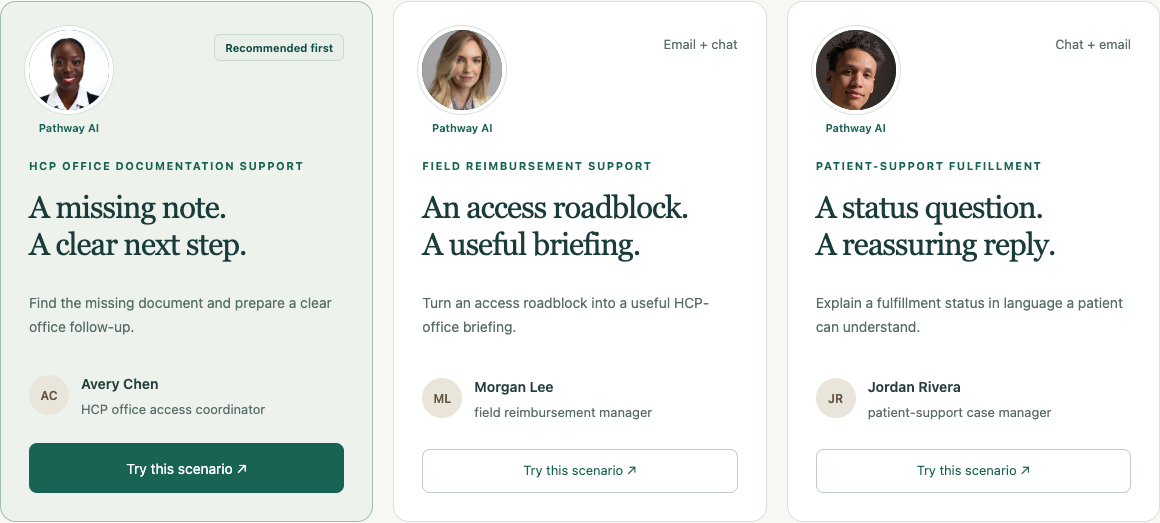
It uses retrieval-augmented generation, or RAG: find relevant passages in a selected knowledge base, give them to the language model, and show the sources with the answer. I used three fictional pharmaceutical-support cases to explore how useful that could be for office staff, field reimbursement managers, and patient-support teams.
I try to learn a different tool with each project. For Pathway, I chose Render to host the frontend and application server, and Supabase for PostgreSQL and pgvector. Deploying the app gave me hands-on practice connecting a static site, an API, and a persistent database.
The experience
Choose a support role and its Knowledge Pack, then ask a question or prepare a draft. The three packs contain 42 synthetic documents covering missing paperwork, coverage and access, and specialty-pharmacy fulfillment. Each agent has a stock portrait to make its role recognizable. The photographed people are not staff or endorsers.
The recorded case snapshot stays beside the conversation. A person can ask what is missing, follow up on why it matters, or prepare an office email without losing context. On mobile, the case details open in a drawer.
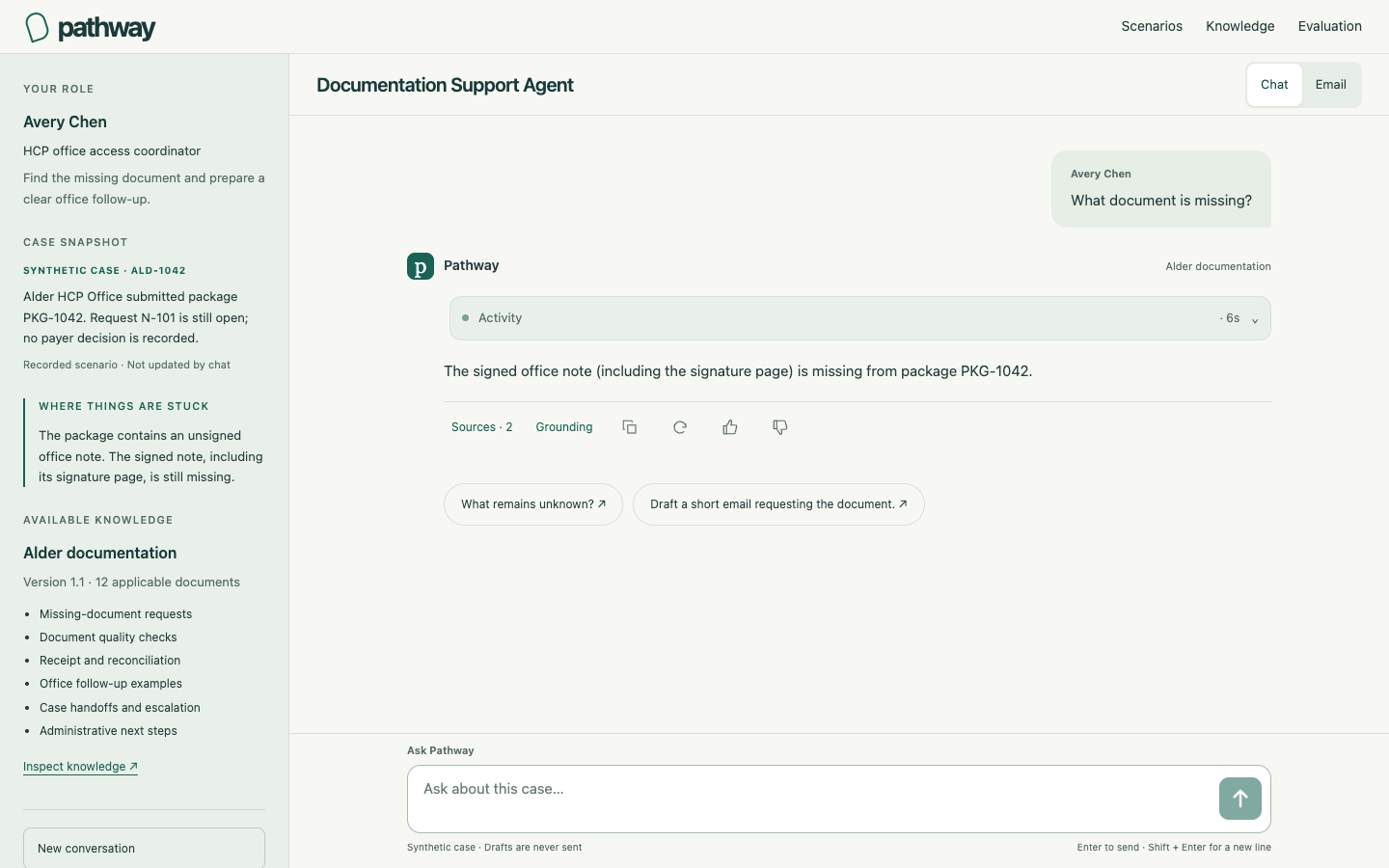
Sources opens the exact supporting passages. Grounding shows what was retrieved. Live activity explains what the application is doing while an answer is prepared. Drafts can be copied or refined, and remain unsent. Earlier answers keep their original case and sources when the user changes knowledge.
How it works
- Choose the case and knowledge
The selected case, Knowledge Pack, and current source versions determine which passages are eligible.
- Find relevant passages
PostgreSQL and pgvector combine keyword and meaning-based search, using recent same-pack conversation to resolve follow-ups.
- Generate and check
OpenAI GPT-5 mini prepares an answer or draft. The service checks its format and cited source IDs.
- Save the answer and evidence
The workspace keeps the answer, exact sources, and activity together for inspection and review.
Conversation helps interpret questions such as “Why?” It does not create new facts about the case. Superseded and unrelated documents can be inspected in the knowledge browser but are excluded from new answers.
Stack and choices
- WorkspaceHTML · CSS · JavaScript
- Keep role context, conversation, and evidence close together in a responsive interface.
- ApplicationNode.js · TypeScript · Render
- Host the API and static frontend separately so the homepage can load while the backend wakes.
- Knowledge and historySupabase · PostgreSQL · pgvector
- Store conversations and searchable passages, with filters for the selected case and knowledge.
- GenerationOpenAI GPT-5 mini · Responses API
- Use a lower-cost model to prepare structured answers and reviewable drafts from retrieved evidence.
Decisions and design lessons
The knowledge base needs useful detail. Checklists, troubleshooting steps, and communication examples give retrieval more to work with than short topic summaries. Those guides still need to stay separate from the facts recorded for a particular case.
A valid citation does not prove the whole answer. Checking that a cited passage was retrieved catches one failure mode. Whether it supports the wording of every claim needs separate review.
Hosting choices shape the experience. A static frontend can appear before the application server is ready. Database availability also matters, even when the site itself loads. Using Render and Supabase made those dependencies concrete.
Current state and next step
The public demo supports questions, follow-ups, source inspection, and drafts across all three scenarios. It uses fictional cases and documents, does not send messages, and does not provide clinical advice or make payer decisions.
The repository includes automated checks and a synthetic conversation evaluation, with partial results and limitations. My next evaluation focus is answers that cite the right source but overstate what it establishes. Source, evaluation notes, and photo credits are available on GitHub.