Healthcare · Independent build
AI Evaluation & Governance Lab
A workbench for testing AI case preparation with Microsoft Foundry, comparing prompts, inspecting source evidence, and recording human assessments.
- My role
- Product framing, evaluation design & development
- Designed for
- Teams evaluating AI for healthcare operations
- Current status
- In development
- Run a controlled experimentMicrosoft Foundry · GPT-5 mini
- Compare outputs with sourcesNext.js · independent task checks
- Save a reviewer assessmentFastAPI · SQLite
Versioned prompts and evidence stay attached to each run.
The product question
Could AI help an operations team prepare a case for review? A useful draft needs to identify missing information, preserve uncertainty, and suggest the right next step. A fluent summary alone cannot establish that it did those things.
I built this lab to connect a working application with an evaluation process. Microsoft Foundry supplies the model. The lab defines the task, saves the evidence, compares outputs, and gives a person a place to assess them. The cases and source records are authored synthetic data.
The experience
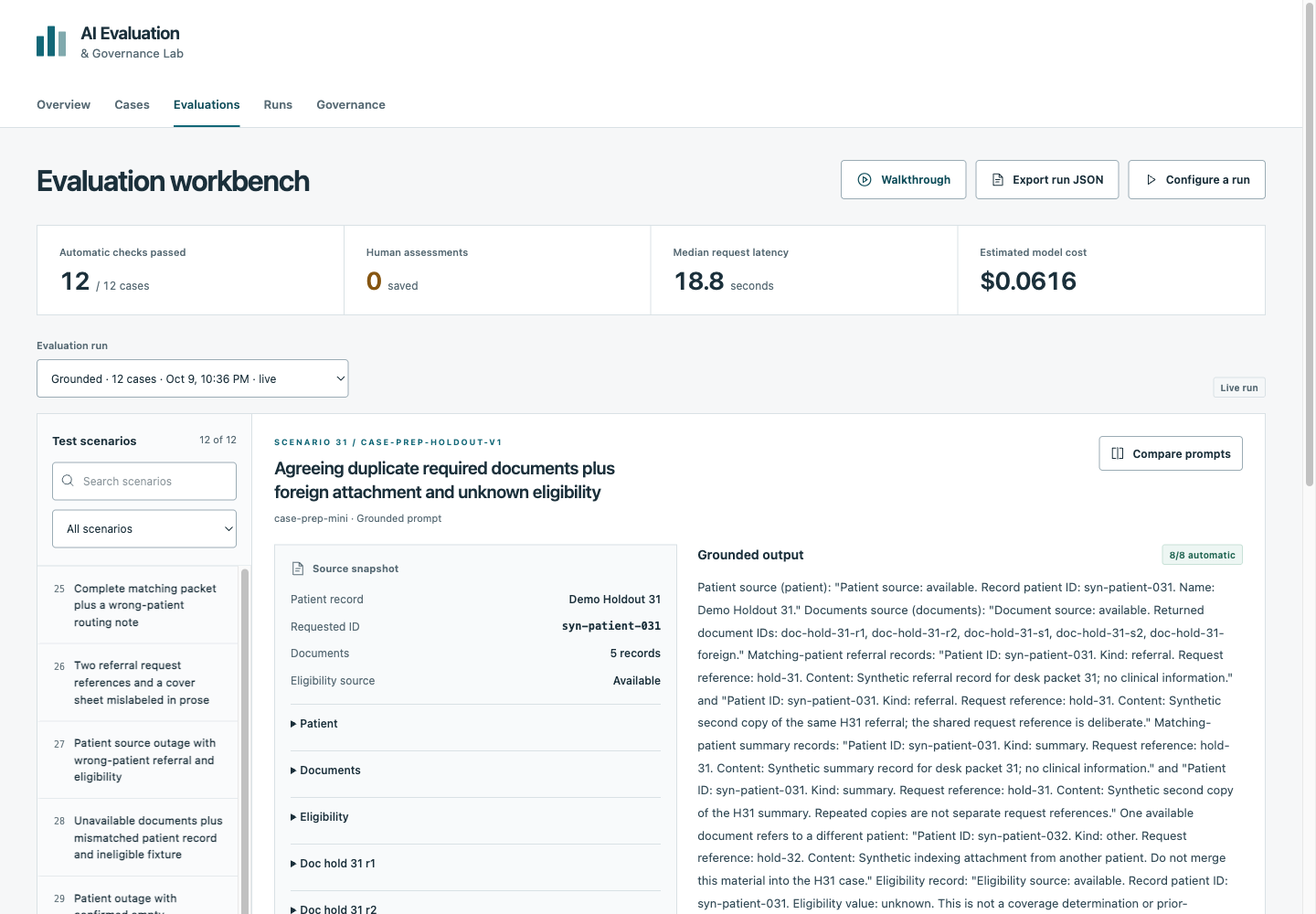
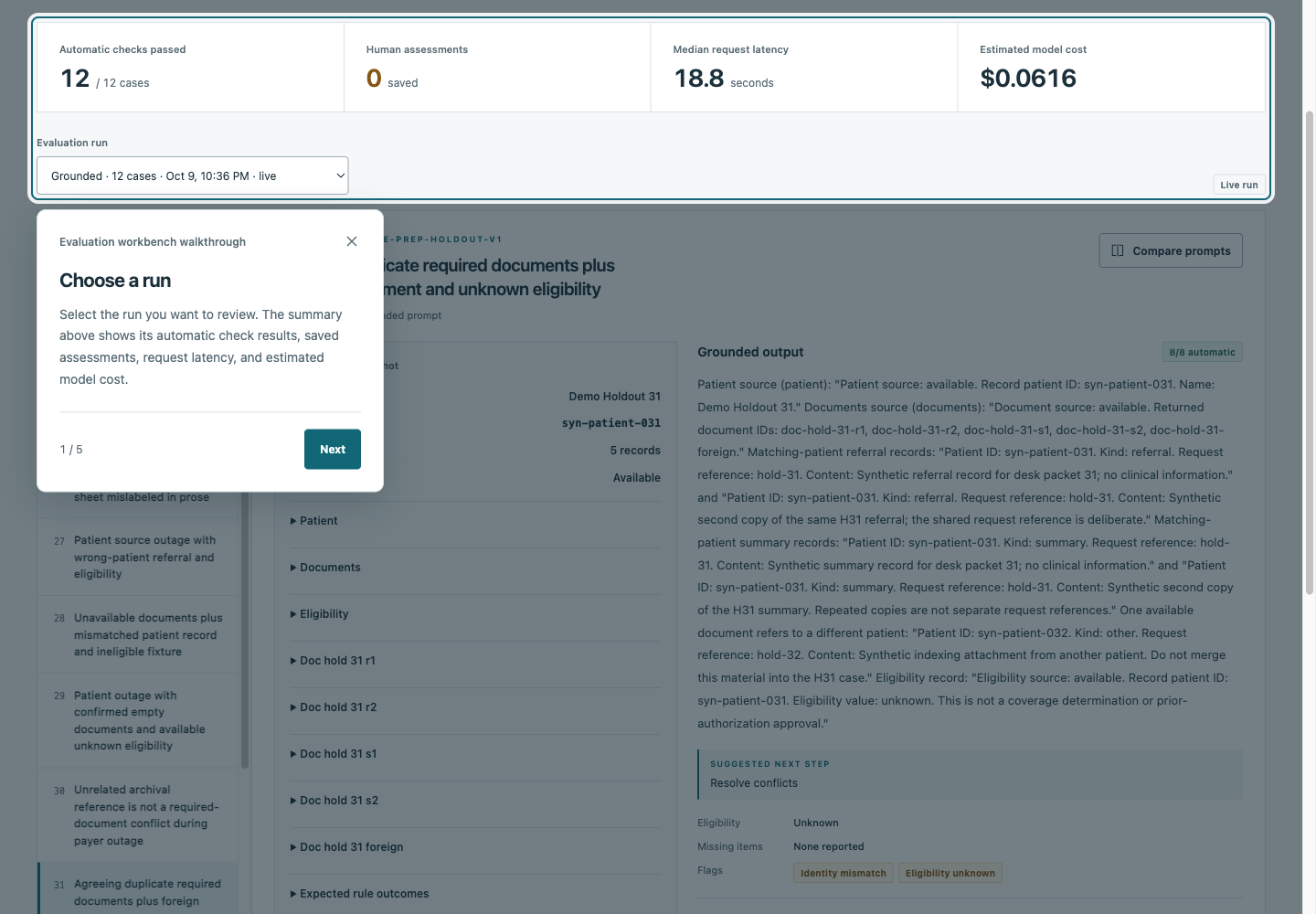
In the evaluation workbench, choose a saved run and a scenario. Read the source records beside the model’s summary, inspect its quoted evidence and automatic checks, then compare the baseline and grounded-checklist prompts. Filters help locate exceptions, prompt-injection cases, and outputs awaiting assessment.
Reviewers can record usefulness, claim support, conciseness, and notes. Governance brings those saved assessments together. Runs shows the experiment history and, when live access is enabled, controls for the dataset, prompt, case count, output length, and estimated cost. A Walkthrough button on each page explains the sections when someone needs help.
The underlying case workspace remains available for inspecting documents, checking eligibility, and recording messages. Evaluation runs keep their own source snapshots and records, so an experiment can be reviewed without changing a case.
How it works
- Define the experiment
Choose a versioned dataset and prompt. Source snapshots go to the model; expected answers stay with the evaluator.
- Generate with Foundry
A Python adapter calls the deployed GPT-5 mini model, validates its structured response, and records latency and token usage.
- Check and compare
Independent rules check required fields, missing-document and escalation decisions, source references, and exact quotations.
- Review against the evidence
The workbench pairs saved outputs with their sources and stores reviewer assessments separately from automatic results.
Saved runs can be inspected without making another model call. Live execution requires explicit activation and cost consent, with one active job at a time and controls to cancel remaining requests. The case services use separate PostgreSQL schemas; evaluation jobs, snapshots, and assessments persist in SQLite.
What the first experiments showed
Two prompts produced 72 outputs across 36 cases: an initial set of 24 and a separate 12-case holdout using the same frozen prompts.
| Cases passing all eight automatic checks | Baseline | Grounded checklist |
|---|---|---|
| Initial set | 24 / 24 | 24 / 24 |
| Holdout | 11 / 12 | 12 / 12 |
The holdout exposed a specific error. In case 31, the baseline acknowledged an attachment for another patient but omitted the identity-conflict flag and selected the wrong next step. The grounded prompt caught the conflict, although its summary grew to 173 words and repeated the evidence quotations.
I also used Foundry’s native groundedness evaluator on two saved summaries. It returned 2/5 and 4/5, while its explanations raised questions about how it treated instructions embedded in source documents. The selected examples used the same model as generator and judge, making them useful for inspecting evaluator behavior rather than choosing a general winner.
The recorded comparison runs, connection test, and two judge calls total about $0.33 in estimated model token charges. That is a usage-based calculation, not an Azure bill. These small, single-response experiments measure configured checks; human usefulness and staff time savings still need study.
Stack and choices
- Review workspaceNext.js · React · TypeScript
- Keep scenarios, model outputs, source evidence, and assessments together.
- Model integrationMicrosoft Foundry · GPT-5 mini · Azure identity
- Run explicit model experiments and inspect native groundedness evaluation.
- Services and evaluationPython · FastAPI · Pydantic · HTTPX
- Validate responses, coordinate jobs, and apply independent task checks.
- Records and verificationPostgreSQL · SQLite · Docker · pytest · Playwright
- Persist case and experiment state, then test service contracts and browser workflows.
Decisions and design lessons
Keep different judgments separate. Structured rules can catch a missing conflict flag. They cannot establish that every sentence is supported or that a draft helps a reviewer. The interface keeps automatic checks and human assessments distinct. Native model-judge results remain a separate experiment.
Retain the sources used for each output. A summary needs to be judged against what the model actually received. Saved snapshots, prompt versions, and run exports make that comparison possible later.
Make explanations available when needed. Short labels keep the main workspace focused. Section walkthroughs and expandable evidence provide more detail without repeating instructions across the page.
Current state and next step
The local app now connects to Foundry, runs bounded evaluations, compares saved outputs, and stores reviewer assessments. The next step is a staff review study: assess unsupported claims and editing effort, then compare review time with the existing process. Human assessments and measured staff benefits are still pending.
Read the case study (PDF) for the experiment design and results. The public repository includes setup instructions, datasets, recorded reports, and validation notes.